
AI Citations
Bing Webmaster Tools AI Performance: Intents & Topics
Use Bing Webmaster Tools AI Performance to analyze Intents, Topics, Citation Share, and citation trends without confusing visibility with traffic.
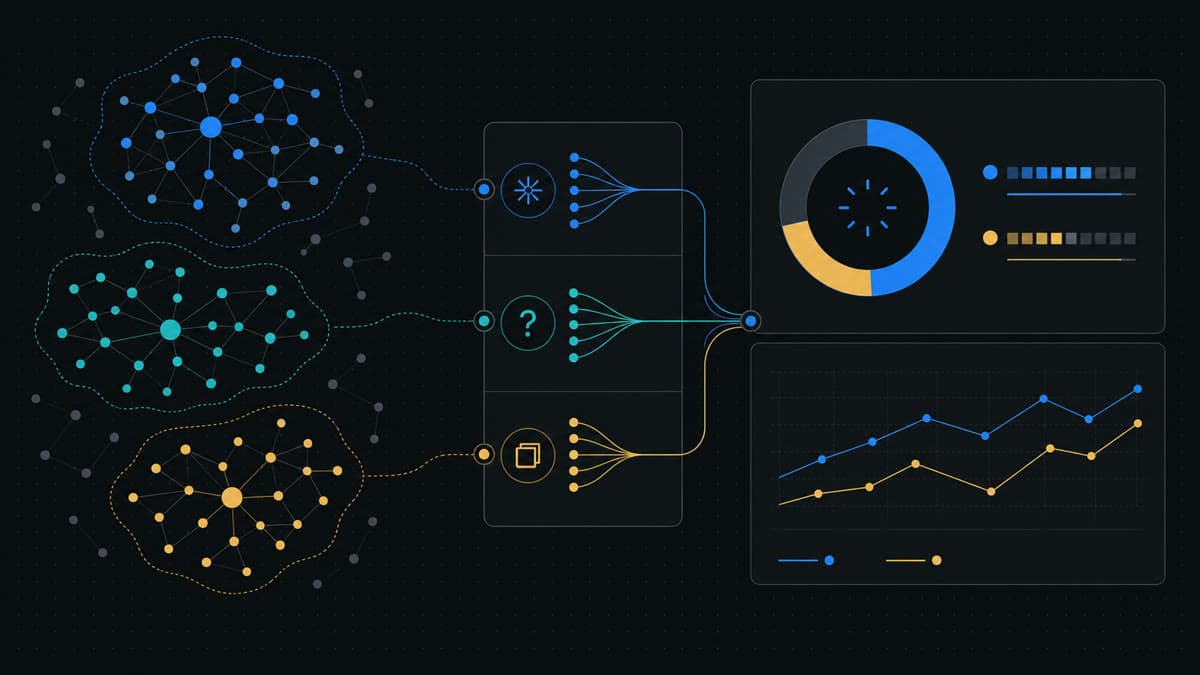
Bing Webmaster Tools AI Performance shows when content from your verified site is cited across supported AI experiences. Its 2026 preview now combines cited pages and grounding queries with four newer views: Intents, Topics, Citation Share, and Compare.
Use the report to answer three practical questions:
- Which pages and themes are already being used as sources?
- In what query context does that citation visibility appear?
- Is citation activity changing across comparable periods?
Do not use it as a ranking report, a traffic report, or a competitor leaderboard. Microsoft explicitly describes Citation Share as an observational metric. It does not expose competitor domains, represent traffic share, or assign content-quality scores.
That boundary is the key to using the report well.
What Bing Launched In 2026
Microsoft introduced AI Performance in Bing Webmaster Tools in public preview on February 10, 2026. The initial release gave site owners a first-party view of citation activity across Microsoft Copilot, AI-generated summaries in Bing, and select partner integrations.
The first version included:
- Total citations.
- Average cited pages.
- Sampled grounding queries.
- Page-level citation activity.
- Citation trends over time.
On June 16, Microsoft announced the expanded AI visibility insights: Intents, Topics, Citation Share, and Compare. Microsoft says the preview is rolling out globally and that classification quality, coverage, and precision will continue evolving.
The AI Performance Metrics At A Glance
| Metric | What It Tells You | What It Does Not Tell You |
|---|---|---|
| Total citations | Number of citations displayed as sources during the selected period | Placement, prominence, clicks, or conversions |
| Average cited pages | Average number of unique site pages displayed as sources per day | Page authority, ranking, or importance in an answer |
| Grounding queries | Sampled phrases used when retrieving content that was cited | A complete transcript of every user prompt |
| Page-level activity | Which site URLs received citations | Why the answer selected the page or how users reacted |
| Intents | Broader context assigned to grounding queries | A permanent or exact buyer-intent taxonomy |
| Topics | Thematic clusters formed from related grounding queries | Proof that every page in a topic is authoritative |
| Citation Share | Site citations as a percentage of all citations for the same grounding query | Traffic share, rank, quality, or named competitor performance |
| Compare | Current citation activity overlaid with a previous period | Causal proof that a content change produced the movement |
Total Citations And Average Cited Pages
Total citations measures how many citations to your site were displayed as sources in supported AI-generated answers during the selected timeframe. It is a frequency signal.
It is not a position metric. A citation counted in the report does not tell you whether the link appeared first, last, prominently, or behind an interaction. Microsoft's launch announcement explicitly separates citation frequency from placement and presentation.
Average cited pages adds breadth. It shows the average number of unique pages from your site displayed as sources per day. A rising value can suggest that citation activity is spreading across more URLs. It does not mean those pages have higher authority or ranking.
Read the two together. Citations rising while cited pages stay flat can mean a smaller set of URLs is appearing more often. Cited pages rising while citations stay flat can mean visibility is spreading. Neither pattern proves a content update caused the change: model behavior, freshness, demand, and supported partner surfaces can move at the same time.
The cited-but-not-mentioned AI search funnel shows how to carry this first-party citation evidence into a separate review of answer absorption, brand mentions, recommendation framing, and clicks.
Grounding Queries: Retrieval Context, Not Prompt Logs
Microsoft defines grounding as the source material and web evidence used to support and cite an AI-generated response. Grounding queries are the key phrases used during retrieval when your content was referenced.
They can reveal why a page was retrieved more clearly than a broad traffic keyword report. For example, a product page may receive citations around "AI citation monitoring workflow" even when the page's traditional organic traffic is concentrated on a branded term.
But grounding queries are not complete user-prompt transcripts. Microsoft says the data represents a sample of overall citation activity. One user interaction can also involve retrieval behavior that does not resemble a single typed keyword.
Use grounding queries to identify the language associated with cited pages, find valuable commercial or problem-solving context, detect themes that retrieve the wrong URL, and build a stable question set for independent monitoring.
Do not turn every observed phrase into a separate page. Cluster related context first, then decide whether the existing information architecture has a real gap.
Intents: Understand Why The Query Exists
The Intents view classifies grounding queries into broader categories. Microsoft's examples include Informational, Commercial, Navigational, Learn and Solve, Research, Creation, and Local.
That classification helps separate very different kinds of citation value.
| Intent Pattern | Example Business Question | Likely Content Job |
|---|---|---|
| Informational | What is AI citation tracking? | Clear definition and evidence-led guide |
| Commercial | Which AI visibility tool fits a SaaS team? | Comparison or product evaluation page |
| Navigational | Where is the product documentation? | Canonical product or documentation route |
| Learn and Solve | How do I audit AI referral attribution? | Step-by-step workflow or checklist |
| Research | What changed in AI citation measurement? | Current analysis with primary sources |
| Local | Which provider serves this market? | Accurate location-specific information |
Use Intents as a prioritization layer, not a content generator. A high citation count in an irrelevant intent may matter less than a small but growing commercial cluster tied to revenue.
The labels are created by evolving AI and machine-learning classification systems. Microsoft warns that preview labels may be broad, especially for specialized domains. Validate the classification against the grounding query, cited URL, and the page's real audience before changing content strategy.
Topics: Move From Phrases To Themes
Topics group related grounding queries into broader thematic clusters. Microsoft's example maps phrases about solar panels, efficiency, and residential installation to a Solar Energy topic.
For a SaaS site, one cluster might combine AI search monitoring, AI visibility tracking, answer-engine brand monitoring, and generative search reporting. Those phrases are not interchangeable, but they may share a subject area that needs a coherent source architecture.
Use Topics to audit:
- Whether one clear hub represents the subject.
- Which supporting pages answer distinct intents.
- Whether internal links connect the hub and supporting evidence.
- Whether multiple pages accidentally compete for the same purpose.
- Which priority topics are missing when you compare the Topics report with a separate content and buyer-question inventory.
Topics are particularly useful for planning net-new pages because they discourage one-page-per-keyword production. A topic can support a hub, a commercial page, a workflow guide, and an evidence resource, provided each page has a distinct job.
Citation Share: The Formula And Its Limits
Citation Share is calculated for a specific grounding query:
Citations attributed to your site divided by all citations shown across all sites for that grounding query, expressed as a percentage.
If your site received two of the ten citations observed for a grounding query, the Citation Share for that query would be 20% within the report's supported and aggregated data.
That percentage is useful because raw citation count lacks context. Ten citations could represent a large presence in a narrow source set or a small presence in a much larger citation ecosystem.
Microsoft is equally clear about what Citation Share is not:
- It is not a ranking system.
- It is not a competitive scoreboard.
- It does not expose competitor domains.
- It is not traffic share.
- It is not a content-quality score.
Do not publish a dashboard titled "AI market share" by renaming this metric. Citation Share observes relative source presence for a grounding query across supported data. It does not tell you how many people saw the answer, clicked the citation, remembered the brand, or converted.
Use it directionally:
- Find grounding queries where the site already has meaningful citation presence.
- Identify observed high-priority grounding queries where citation presence is low or fragmented; use a separate query inventory to detect complete absence.
- Watch whether relative presence changes across comparable periods.
- Pair the percentage with raw citations so a tiny denominator is not mistaken for scale.
- Inspect the cited URLs before choosing a content action.
The denominator matters. Always show Citation Share with citation count, date range, query context, and a note that the feature remains in preview.
Compare: Observe Change Without Claiming Cause
Compare overlays a previous period on the current reporting view. Microsoft gives the example of comparing the current 30 days with the prior 30 days, while also allowing custom date ranges.
Use periods with the same number of days, account for weekday and seasonal effects, and annotate releases, migrations, content launches, robots changes, and canonical or indexing events.
When a metric moves after a page update, describe it as correlation first. Citation patterns can change because of evolving models, user demand, freshness, competing sources, and partner refresh cycles. The Compare view helps you locate a change worth investigating; it does not run a controlled experiment.
A Practical Bing AI Performance Workflow
Use this workflow once the report is available for your verified site.
1. Establish A Baseline
Choose a fixed date range and record total citations, average cited pages, leading URLs, and the grounding-query sample. Save the report date and preview limitations with the export.
2. Map Cited URLs To Page Jobs
Classify each leading URL as a product page, use case, comparison, guide, resource, documentation page, or other public source. Confirm that the cited URL is canonical, current, and appropriate for the query context.
3. Segment By Intent
Separate informational visibility from commercial, navigational, research, and problem-solving contexts. Prioritize the intent categories tied to actual buyer decisions rather than maximizing every citation equally.
4. Review Topic Coverage
Group the strongest and weakest citation patterns by Topic. Look for a missing hub, thin evidence, duplicate purpose, or a topic supported only by an outdated page.
5. Inspect Citation Share
Review Citation Share beside raw counts and cited pages. One citation with a rising percentage is not the same signal as a stable percentage supported by many citations.
6. Compare A Matched Period
Use Compare, annotate known changes, and list plausible explanations. Turn only repeated or strategically important patterns into work.
7. Create One Verifiable Action
The action should name a page, intent, evidence gap, and success check. "Improve GEO" is not actionable. "Publish a comparison page answering the observed commercial topic, then inspect cited-page and grounding-query changes over the next matched period" is.
Turn Dashboard Patterns Into Content Decisions
| Finding | Weak Reaction | Better Next Step |
|---|---|---|
| High citations on one guide | Rewrite every related article | Protect the cited page and build only distinct supporting intents |
| Commercial intent cites the wrong URL | Add more keywords to that URL | Create or strengthen the page whose job matches commercial evaluation |
| Topic is visible but fragmented | Publish several near-duplicate posts | Build a hub and connect distinct supporting pages |
| Citation Share falls | Declare a ranking penalty | Check counts, freshness, query mix, technical access, and competing evidence |
| New page has no citations | Change the date repeatedly | Verify discovery, indexing, internal links, and source usefulness |
| Citations rise without visits | Call the content unsuccessful | Measure citation visibility separately and improve the reason to click |
Microsoft's February launch guidance recommends clear structure, depth, evidence, accuracy, and freshness. It also points publishers to IndexNow for notifying participating search engines when pages are added, updated, or removed. Those are useful foundations, but none guarantees inclusion in an AI answer.
For a technical preflight before a new page is promoted, use the AI search visibility audit checklist.
Bing AI Performance vs Referral Analytics
Bing AI Performance reports source visibility inside supported AI answers. GA4 and other analytics products report what happens after a detectable click reaches your site.
| Question | Bing AI Performance | GA4 Acquisition |
|---|---|---|
| Was my page cited? | Yes, across supported aggregated experiences | No |
| Which URL was cited? | Yes | Only the landing URL after a visit |
| What retrieval context was associated? | Sampled grounding queries, Intents, and Topics | Session source and landing-page behavior |
| Did someone click? | Not established by a citation | Yes, when a measurable session arrives |
| Did the visit convert? | No | Key events and revenue when configured |
| Which named competitor won? | Citation Share does not expose competitor domains | Not an answer-level competitor view |
A citation can produce no visit. A visit can also arrive later through branded search or Direct. Keep the two datasets separate, then connect them directionally at the page and time-period level.
The GA4 AI referral traffic guide provides the post-click setup.
Add Prompt-Level Monitoring
First-party webmaster reporting and prompt-level monitoring answer different questions.
The Google vs. Bing AI visibility reports comparison maps those differences side by side before you combine either dataset with an answer-monitoring workflow.
Bing Webmaster Tools can show aggregated citation activity for your verified site across its supported experiences. A stable monitoring Task can preserve the exact buyer questions you choose to test, the provider channel, answer text, brand mentions, competitor mentions, and available citation evidence for each Run.
Use them together:
- Take important Intents and Topics from Bing's report.
- Convert them into a small, stable set of buyer Questions.
- Create an AEO Table Task with the brand, competitors, selected channels, market, and language.
- Run the same Task on a consistent cadence.
- Compare answer evidence with Bing cited pages and Citation Share trends.
- Use GA4 separately for detectable referral sessions and outcomes.
Do not expect the totals to match. The products observe different surfaces, query sets, and units of measurement.
For a broader operating model, see AI search monitoring and the AI visibility report template.
Common Mistakes
Do not call Citation Share a ranking position or market share.
Do not assume total citations measure people, impressions, clicks, or revenue.
Do not interpret a sampled grounding query as the complete original user prompt.
Do not create a thin page for every query phrase or treat preview classifications as permanent. Review Topics, intent boundaries, and surprising labels first.
Do not mix Bing's aggregated supported surfaces with manually tested prompts and present one total.
Do not optimize citations without checking whether the cited page is accurate, useful, current, and aligned with business intent.
The Bottom Line
Bing Webmaster Tools AI Performance is a valuable first-party citation report. Total citations and cited pages show frequency and breadth. Grounding queries add retrieval context. Intents and Topics organize that context. Citation Share shows relative citation presence for a query, and Compare helps observe change over time.
Its value depends on disciplined interpretation. Citation Share is observational, not a ranking, traffic, quality, or competitor score. Pair it with cited URLs, raw counts, matched periods, referral analytics, and prompt-level evidence before choosing the next page to create.
Create a free AEO Table account to turn important Bing intent and topic patterns into repeatable Questions, Tasks, Runs, and evidence-led Reports across AI channels.
FAQ
What is Bing Webmaster Tools AI Performance?
AI Performance is a first-party Bing Webmaster Tools report that shows how verified site content is cited across supported Microsoft Copilot, Bing AI-generated summaries, and select partner AI experiences.
What does Citation Share mean in Bing Webmaster Tools?
Citation Share is the percentage of citations attributed to your site out of all citations shown across all sites for the same grounding query. Microsoft says it is observational, not a ranking system, traffic share metric, quality score, or competitor scoreboard.
Does a higher Citation Share mean more AI traffic?
No. Citation Share measures relative citation presence for a grounding query. It does not report clicks, sessions, placement, or conversion, so referral traffic must be measured separately.
How should I use Intents and Topics?
Use Intents to understand the broader purpose associated with cited grounding queries, and Topics to group related queries into themes. Treat both as evolving preview classifications and validate them against cited URLs and business priorities.