
Measurement
How to Track AI Referral Traffic in GA4
Set up and validate AI referral traffic tracking in GA4, then connect ChatGPT, Gemini, Copilot, Claude, and Perplexity visits to real outcomes.
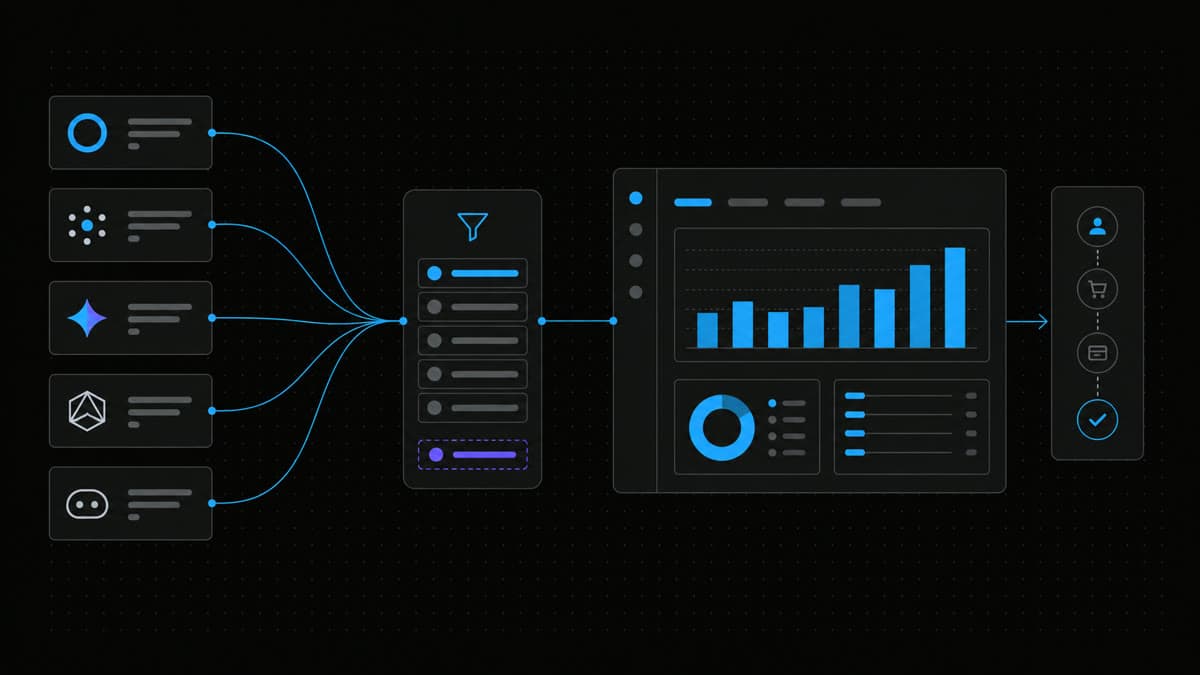
To track AI referral traffic in GA4, start with the AI Assistants channel in the Traffic acquisition report. Break it down by Session source and landing page, then evaluate engaged sessions, key events, and revenue. Use a custom channel group only when you need a transparent provider list or rules tailored to your property.
That setup measures visits after someone clicks from an AI assistant. It does not measure every brand mention or citation inside an AI answer. A buyer can read an answer, remember your brand, and return later through search or direct navigation without creating an identifiable AI referral session.
The practical model is therefore two-layered:
- GA4 measures the traffic and outcomes that arrive after a detectable click.
- AI visibility monitoring measures mentions, citations, competitors, and answer framing before the click.
Use both layers if you want to understand whether AI discovery creates attention and whether that attention reaches your website.
For the complete measurement sequence before and after that click, use the cited-but-not-mentioned AI search funnel to separate crawl, retrieval, citation, answer absorption, brand mention or recommendation, and referral outcomes.
What Counts As AI Referral Traffic?
AI referral traffic is a website session for which Analytics receives source information associated with an AI assistant, such as ChatGPT, Gemini, Microsoft Copilot, Claude, or Perplexity.
Google's current default channel group documentation includes an AI Assistants channel. Google describes it as traffic arriving from sources such as ChatGPT, Gemini, DeepSeek, Copilot, and Grok. It explicitly keeps Google's own AI Overviews and AI Mode traffic inside Organic Search rather than the AI Assistants channel.
That distinction matters when you report results.
| Signal | What It Measures | Where To Measure It |
|---|---|---|
| AI citation | Your URL is displayed or used as a source in an AI answer | Answer-engine reporting or citation monitoring |
| Brand mention | Your brand appears in answer text | Prompt-level answer monitoring |
| AI referral session | A user clicks through and GA4 receives AI source information | GA4 Traffic acquisition |
| AI-assisted demand | A person discovers the brand in AI, then returns through another route | Surveys, CRM context, branded search, and directional analysis |
| Conversion | The visitor completes a defined business action | GA4 key events, revenue, and CRM data |
Do not label all five as "AI traffic." Each one describes a different stage of discovery.
Before You Configure GA4
Confirm that ordinary acquisition measurement works before creating another channel view.
Check the following:
- The GA4 tag fires on all public landing pages.
- Internal traffic and payment-domain referrals are handled according to your measurement plan.
- Key events represent meaningful actions, such as a qualified signup, demo request, purchase, or activated account.
- Cross-domain journeys preserve attribution where required.
- Consent behavior is documented for the markets you serve.
- Redirects do not remove query parameters before the destination page loads.
- Your reporting timezone and currency match the business definition used elsewhere.
If those basics are broken, an AI Assistants row can look precise while the conversion data underneath it is not.
Step 1: Find The Default AI Assistants Channel
Google now maintains an AI Assistants definition in the default channel group. Check that view before building custom rules.
- Open Google Analytics.
- Go to Reports.
- Select Acquisition and then Traffic acquisition.
- Set the primary dimension to Session default channel group.
- Search for or filter to AI Assistants.
- Compare the same date range with Referral, Organic Search, and Direct.
Google's Traffic acquisition report guide explains that this report is session-scoped and covers both new and returning users. That makes it the right starting point for the question, "Which channels initiated visits during this period?"
Do not substitute First user default channel group unless your question is specifically about how users were first acquired. One person can first discover the site through organic search and later return from ChatGPT. User acquisition and traffic acquisition would describe that person differently.
Step 2: Inspect Providers And Landing Pages
The total AI Assistants row is useful for a trend, but it is not enough for diagnosis.
Add these dimensions one at a time:
- Session source to see the source GA4 received.
- Session source / medium to catch unexpected classifications.
- Landing page + query string to see which content earned the visit.
- Page path and screen class to inspect the path after arrival.
- Country and device category when market or device behavior matters.
Then review the actual values before finalizing a dashboard. Provider domains, redirect behavior, and GA4's maintained source lists can change. Google's channel definitions are intentionally allowed to evolve with the market.
OpenAI provides one useful validation point: its publisher FAQ says ChatGPT adds utm_source=chatgpt.com to referral URLs. If ChatGPT sessions are expected but absent, test a real cited link and confirm that the parameter reaches the final landing page.
Use a simple validation table during setup:
| Check | Expected Evidence | If It Fails |
|---|---|---|
| Click an AI source link | Destination loads successfully | Fix broken or blocked landing path |
| Inspect final URL | Source parameter or referrer survives when supplied | Audit redirects and URL cleanup scripts |
| Open Realtime or DebugView | Page view and session appear | Check tagging and consent behavior |
| Review acquisition later | Session is classified into the intended channel | Inspect source, medium, and channel order |
| Complete a test action | Key event is recorded | Fix the event before reporting channel quality |
Realtime validation tells you the tag worked. Standard acquisition reports tell you how GA4 processed the session. Allow for normal processing time before treating a missing row as a permanent classification problem.
Step 3: Create A Custom AI Channel When You Need One
The default channel is the lowest-maintenance option because Google updates its definition. A custom channel group is useful when you need one of these outcomes:
- A provider allowlist that your team can audit.
- A split between research assistants and workplace copilots.
- A temporary rule for a new source before your normal reporting catches up.
- Consistent internal definitions across dashboards and stakeholders.
- A separate view that leaves Google's default classification untouched.
Google's official custom channel groups guide now includes an AI assistants example.
You need Editor access or above at the GA4 property level to create or edit a channel group.
To create one:
- Go to Admin, then Data display, then Channel groups.
- Create a new channel group from the default group.
- Add a channel named AI Assistants.
- Add a Source condition using a regex that matches the provider sources you have verified.
- Move AI Assistants above Referral so a matching session reaches the AI rule first.
- Save the group and use it as a primary or secondary dimension in Acquisition reports.
Traffic is assigned to the first matching channel in the ordered list. Channel order is therefore part of the measurement definition, not a cosmetic setting.
Start with observed source values rather than copying an enormous community regex. A deliberately narrow example might be ^(chatgpt\.com|chat\.openai\.com|perplexity\.ai|claude\.ai|copilot\.microsoft\.com|gemini\.google\.com)$, but it is only a template. Include only sources you have verified in your own Session source data, and update the rule when providers change domains or add surfaces.
Google notes that custom channel groups can be applied retroactively to reports, explorations, and supported views. It also limits standard properties to two custom groups, with up to 50 channels per group. Treat those groups as governed analytics assets: record the owner, rule, date, and reason for every edit.
Step 4: Measure Quality, Not Just Sessions
AI referral volume is often smaller than organic search volume. That does not make it unimportant. The useful question is whether those sessions reach high-value pages and complete meaningful actions.
Build a report with:
- Sessions.
- Engaged sessions.
- Engagement rate.
- Average engagement time per session.
- Key events.
- Session key event rate.
- Total revenue, when ecommerce or subscription revenue is implemented correctly.
The official Traffic acquisition documentation defines an engaged session as one that lasts at least ten seconds, records at least one key event, or includes at least two page or screen views. That definition is useful, but it is still a general engagement threshold. A pricing view, trial start, qualified signup, or booked meeting is closer to business value.
Use this reporting hierarchy:
| Level | Question | Recommended View |
|---|---|---|
| Channel | Is detectable AI referral demand growing? | Sessions by AI Assistants over time |
| Provider | Which assistants send visits? | Session source and source / medium |
| Content | Which pages earn those visits? | Landing page by AI Assistants |
| Quality | Do visitors engage? | Engaged sessions and engagement rate |
| Outcome | Do visits create value? | Key events, revenue, and CRM qualification |
Do not optimize a landing page because it received three sessions in one week. Use a longer window, annotate launches, and keep the underlying session count visible beside every rate.
Sessions and key events still do not constitute financial return. The AEO ROI guide shows how to join detectable referrals with answer evidence, qualified pipeline, recognized revenue or gross profit, total program cost, and explicit confidence labels.
Step 5: Separate Google AI Traffic Correctly
Google's default classification places visits from AI Overviews and AI Mode in Organic Search. Those visits should not be silently added to a third-party AI Assistants total and presented as one uniform channel.
There are two reasons:
- The source and product behavior are different.
- The reporting systems expose different levels of detail.
Use Search Console and GA4 as complementary Google views. Search Console reports search visibility and clicks according to Google's reporting rules. GA4 reports sessions and downstream behavior after arrival. If dedicated generative AI reporting is available for your property, connect it to the same landing-page analysis without claiming one-to-one attribution.
For a Google-specific measurement model, read Search Console AI Reports: What SEOs Can Track.
If the content lives on Instagram, TikTok, X, or YouTube, use the Search Console Platform Properties guide to measure its Google discovery separately from native-platform engagement, AI answer evidence, and GA4 sessions.
Why AI Referral Traffic Is Undercounted
GA4 cannot classify a source it never receives.
Google's guide to (direct) / (none) traffic lists missing tracking information, redirects that strip parameters, URL shorteners, offline documents, and ad blockers among the reasons source information can disappear.
AI discovery creates additional ambiguity:
- A user may copy a URL instead of clicking it.
- An app, browser, or privacy control may suppress the referrer.
- The assistant may mention a brand without linking it.
- The user may search for the brand later on another device.
- A shared answer may produce a visit outside the original session.
- A citation may influence a purchase without becoming the last-click source.
This is why "GA4 shows 80 AI sessions" means 80 sessions GA4 classified with detectable AI source information. It does not mean only 80 people were influenced by AI answers.
Keep the limitation in the dashboard title or methodology note. Honest definitions make small datasets more useful.
Connect Referral Data To Citation Visibility
Referral measurement begins after the click. AEO measurement begins before it.
If the visit came from a paid ChatGPT placement, keep ad delivery, post-click analytics, and organic answer visibility separate. The ChatGPT Ads vs. organic AI visibility guide shows how those three measurement layers fit together.
For Atlas-specific validation, use the ChatGPT Atlas website checklist to test whether the documented ChatGPT referral parameter survives redirects and reaches the expected analytics session without treating the click as a visibility score.
Use a stable set of buyer questions to capture:
- Whether the brand is mentioned.
- Which competitors appear.
- Which owned and third-party sources are cited.
- How the answer frames the brand.
- Which provider produced the answer.
- Whether the evidence changes between comparable Runs.
Then connect that evidence to GA4 at the page level.
| Answer-Layer Finding | GA4 Question | Possible Action |
|---|---|---|
| Page is cited frequently | Does it receive AI sessions and key events? | Protect the page and improve its conversion path |
| Brand is mentioned without an owned citation | Is branded or direct traffic moving directionally? | Strengthen source pages and track assisted demand carefully |
| AI sessions land on an old guide | Do visitors continue to current product pages? | Improve the new page and its discovery path rather than silently changing attribution |
| Provider sends qualified visits | Which topics and pages create them? | Build the next content brief around demonstrated buyer intent |
| Citations rise but referrals do not | Are answers satisfying the query without a click? | Measure visibility as its own outcome and improve the reason to visit |
The AEO metrics guide defines the answer-layer signals. The AI citation tracking workflow shows how to turn source evidence into a backlog.
A Weekly AI Traffic Review
Use a compact review rather than an oversized dashboard.
- Compare AI Assistants sessions with the previous comparable period.
- Check whether provider mix changed.
- Review the top landing pages and their final canonical URLs.
- Compare engagement and key-event rates with Organic Search and Referral.
- Inspect unusual Direct or branded-search movements as directional context, not proof.
- Review the latest answer-monitoring Run for mentions, citations, and competitor changes.
- Record one measurement fix and one content action, each tied to evidence.
In AEO Table, keep the buyer questions stable inside a Task and compare Runs over time. Use GA4 beside that Report to evaluate detectable visits and outcomes. AEO Table does not replace GA4 attribution, and GA4 does not preserve the AI answer that influenced the visit.
Common Mistakes
Do not build a custom channel before checking whether the default AI Assistants channel already answers the question.
Do not use an overly broad regex that catches ordinary domains merely because they contain ai or gpt as part of another word.
Do not combine Google AI Overviews, ChatGPT, Copilot, and Perplexity into one number without documenting the classification rule.
Do not report sessions without landing pages, key events, and sample size.
Do not treat Direct as provably AI-influenced traffic. It is unattributed traffic.
Do not treat a citation as a visit or a visit as a citation. One can happen without the other.
Do not promise complete attribution. The useful goal is a consistent, auditable measurement model.
The Bottom Line
GA4 can show detectable traffic from AI assistants and connect those sessions to landing pages, engagement, key events, and revenue. Start with Google's maintained AI Assistants channel. Add a custom group only when your reporting requires explicit provider rules.
Then keep the boundary clear: GA4 measures post-click behavior, while AI visibility monitoring measures what happened inside the answer. Together, those views show whether your content is being surfaced and whether the resulting attention reaches the business.
Create a free AEO Table account to monitor repeatable buyer questions, preserve citation evidence, and compare the answer layer with your GA4 acquisition results.
FAQ
How do I see AI referral traffic in GA4?
Open Reports, then Acquisition, then Traffic acquisition, and use Session default channel group as the primary dimension. Look for AI Assistants, then add Session source or Session source / medium to inspect individual providers.
Does GA4 track visits from ChatGPT?
GA4 can track a visit when a user clicks a link from ChatGPT and the source information survives the journey. OpenAI says ChatGPT referral URLs include utm_source=chatgpt.com, but visits without usable source information may appear as direct traffic.
Is AI referral traffic the same as AI citation visibility?
No. Referral traffic records visits after a click. Citation visibility records whether an AI answer used or displayed your page as a source, including answers that produce no website visit.
Why does some AI traffic appear as direct traffic?
GA4 uses direct when it has no clear referral source. Missing parameters, redirects that strip parameters, privacy tools, ad blockers, copied URLs, and some app or browser journeys can all remove source information.